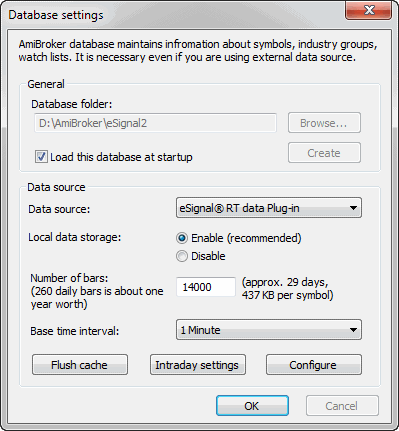
90000 for 1-minute database combined with long history daily database
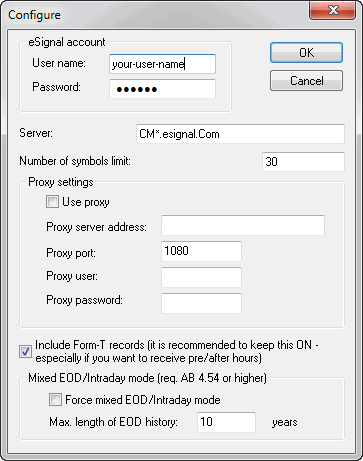
Enter your eSignal username and password here (if you have eSignal properly installed, AmiBroker will pre-set these fields to the username and password entered in the eSignal software). You may also adjust the Number of symbols. This should not exceed your account limit, and you may consider lowering this value if you want to use AmiBroker in parallel with another data manager client application. (If you exceed the limit of your subscription, AmiBroker will re-adjust this number down.)
Click OK
Note that selecting 'tick', 1-second, 5-second, or 15-second periodicities will cause the transmission of huge amounts of data from eSignal servers (for an actively traded security, it can be several megabytes for just one symbol and very few days of history). If you have a modem connection, this setting is highly discouraged. You should also consider using 1-second bars instead of pure 'ticks', since this mode is faster.
Also, note that to get long end-of-day histories together with intraday data, you should go to File->Database Settings->Intraday Settings and turn ON "Allow mixed EOD/intraday data" option.