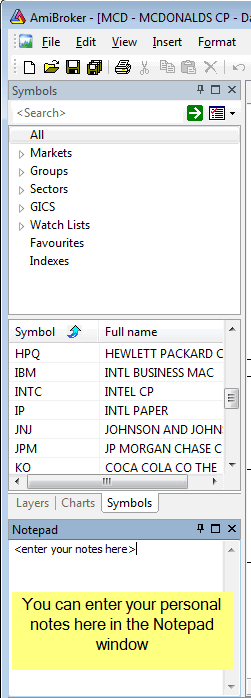
Notepad window (that you can show/hide using Window->Notepad menu)
that allows you to store free-text notes about a particular security. Just
type any
text
and
it will
be automatically
saved/read back as you browse through symbols. Notes are global and
are saved in the "Notes" subfolder as ordinary
text files.
Notes can also be read and written to using AFL language NoteGet and NoteSet functions.
NoteGet( "Symbol" );
- retrieves the note linked to "symbol". If the symbol is "" (empty
string), then the current symbol is used
NoteSet( "Symbol", "Text..." );
- sets the text of the note linked to "symbol".
If the symbol is "" (empty string), then the current symbol is used.
If you overwrite the note from the AFL level that is opened at the same time in the Notepad editor, the editor will ask you (when you switch the focus to it) if it should reload the new text or allow you to save your manually entered text.
Example:
NoteSet("AMD", "Jun
        15, 2004: AMD will deliver its first multi-core processors next year");